AI Glasses Try-On
Find frames
that fit your face.
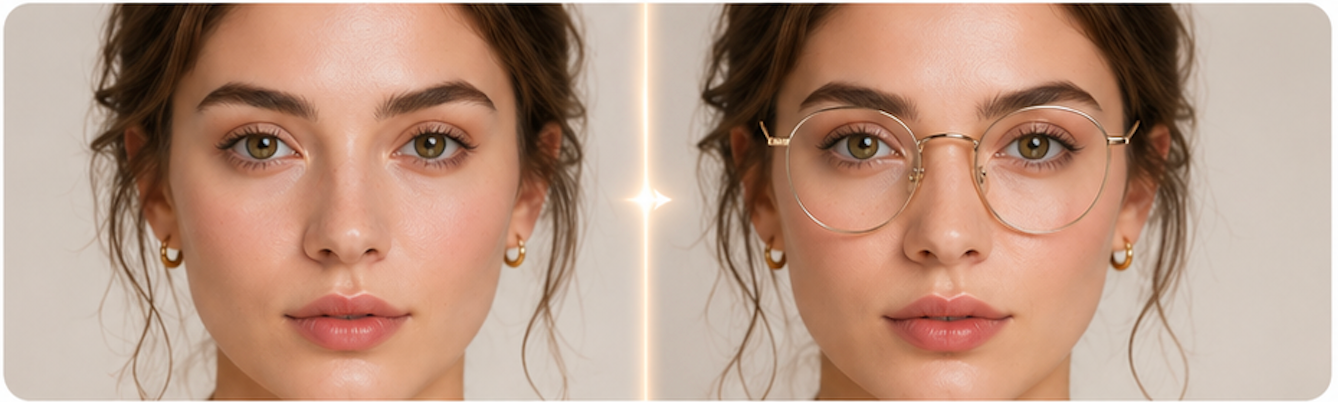
Preview realistic glasses styles on your own portrait before you choose your next pair.
How it works
Four steps to
a new look.
Choose, upload, generate, compare. Keep your original identity and photo context.
- 01
Choose a frame style
Pick a frame direction, from delicate round metal to bold acetate or aviator.
- 02
Upload a front-facing portrait
Use a clear image where both eyes, brows, and nose bridge are visible.
- 03
Generate the try-on
AI adds realistic glasses while preserving your face, expression, hair, clothing, and background.
- 04
Compare and download
Use the before/after slider to judge fit and save the frame preview.
FAQ
Common questions.
Does it measure my exact frame size?
No. This is a visual try-on, not optical sizing. Use it for style direction and confirm measurements with an eyewear professional.
Should I remove existing glasses first?
Yes. A photo without glasses gives the cleanest result because the AI does not have to replace an existing frame.
Can it add sunglasses?
This version focuses on clear-lens eyeglasses so the eye area remains visible. Sunglasses can be added later as a separate tool if needed.
Will lenses create glare?
The prompt asks for clear lenses and realistic light handling. Strong original glare or shadows can still affect quality.
Ready when you are