AI Hair Color Changer
Try a new color
before the dye.
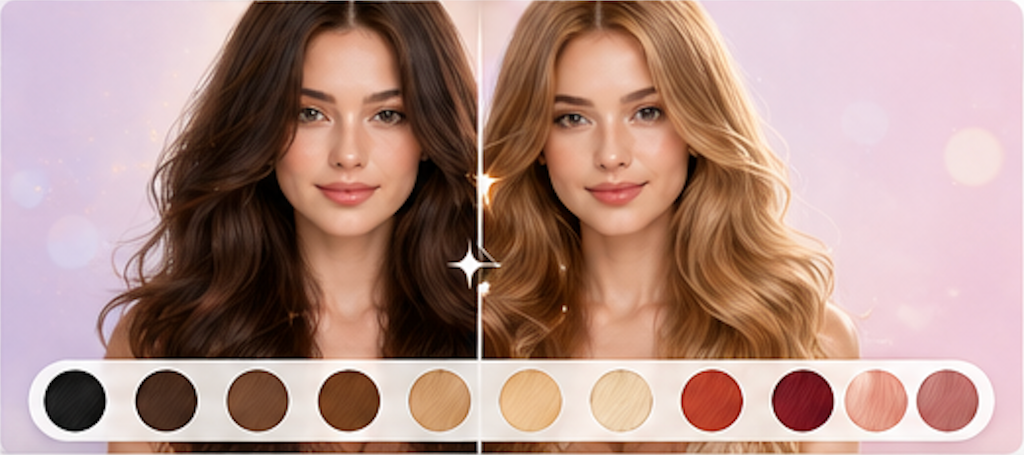
See how different hair colors look on you—from natural shades to fantasy colors. No commitment, no damage, just fun.
How it works
Four steps to
a new shade.
Pick, upload, compare. No sign-up required to try.
- 01
Choose a hair color
Pick from natural brunettes and blondes to bold reds, pastels, and fantasy shades. Your current cut and style stay exactly the same.
- 02
Upload a photo showing your hair
A front-facing photo with visible hair works best. Natural daylight gives the truest color preview.
- 03
Let the model recolor
The AI changes only your hair color—not your cut, style, texture, face, or anything else in the image.
- 04
Compare and download
Drag the before/after slider. Download your new look or go back and try another color on the same photo.
FAQ
Common questions.
Will it look realistic?
The AI aims for photorealism. Natural shades (brown, blonde, black) tend to read most naturally. Fantasy colors may vary more.
Does it keep my original hairstyle?
Yes. Only the hair color changes—your cut, style, texture, and everything else stay exactly the same.
Can I try multiple colors?
Yes. After each result, go back and try another color. Compare different shades on the same photo.
Should I show this to my colorist?
Absolutely. It is a great communication tool for the shade you want. Real results depend on your base color, hair history, and professional technique.
Ready when you are