AI Hairstyle Try-On
See yourself with
a new hairstyle.
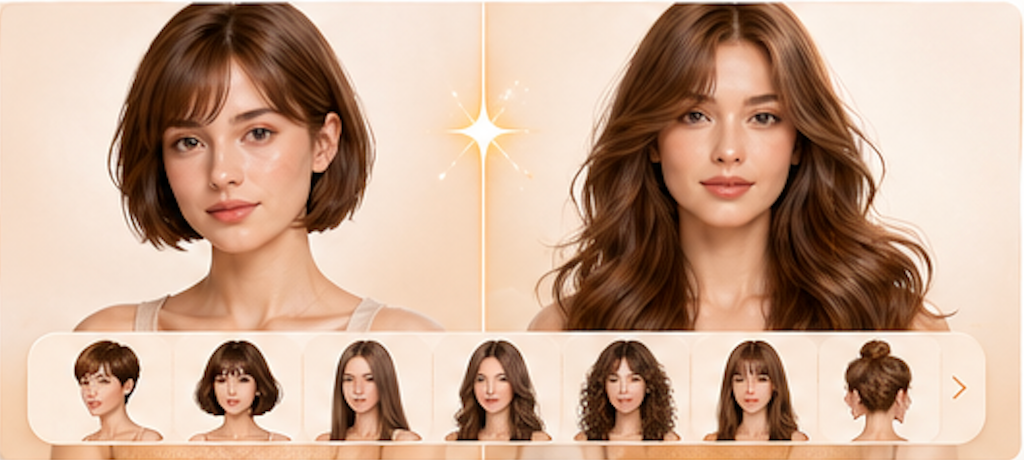
Try on a new cut before the salon. Choose a style, upload your photo, and let AI show the transformation—your face stays exactly the same.
How it works
Four steps to your
new look.
Image in, styled image out. No sign-up required to try.
- 01
Choose a hairstyle
Pick from 12 popular styles—pixie cuts, beach waves, layered bobs, and more. Your face stays exactly the same.
- 02
Upload a clear front-facing portrait
Use good, even lighting. Hair should be visible but does not need to be styled. PNG, JPG, or WEBP.
- 03
Let the model do the work
AI replaces only your hairstyle—facial features, skin, makeup, expression, clothing, and background remain untouched.
- 04
Compare side by side and download
Drag the before/after slider to see every detail. Download the result to show your stylist or save for later.
FAQ
Common questions.
Will the AI change my face?
No. The AI is instructed to change ONLY the hairstyle. Your face shape, features, makeup, skin, and clothing stay exactly the same.
What hairstyles can I try?
Twelve popular styles spanning lengths and textures. For best results, pick a style that works with your real hair texture and density.
Is this realistic enough to show a stylist?
It gives a strong visual direction. Real hair depends on texture, density, and technique—use it as inspiration to discuss with a professional.
Can I try very different lengths?
Moderate changes look most natural. Going from very long to pixie may look less convincing than long to lob. Experiment to find what works.
Does it keep my natural hair texture?
The AI adapts to the requested style. For curly or coily hair, the result reflects the styling vision—your stylist can advise on real-world texture behavior.
Ready when you are
Try a new look right now.
Pick a style, upload your photo, and see the transformation in seconds.