AI Makeup Try-On
Try a new look
before the mirror.
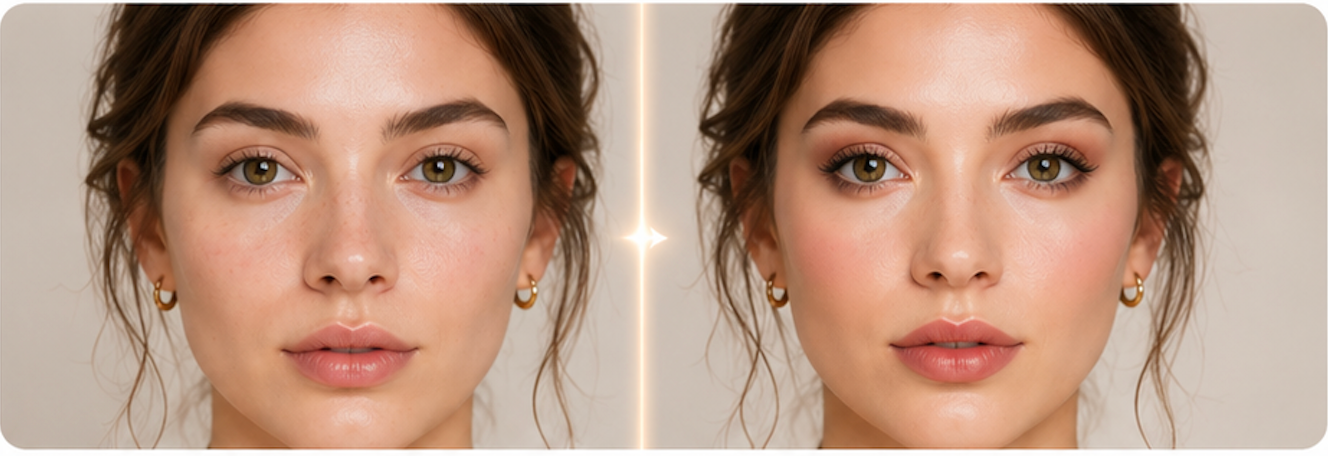
Preview realistic makeup styles on your own portrait, from clean natural glow to polished red carpet glam.
How it works
Four steps to
a new look.
Choose, upload, generate, compare. Keep your original identity and photo context.
- 01
Choose a makeup look
Pick a complete makeup direction, from barely-there glow to smoky or red carpet polish.
- 02
Upload a clear portrait
Use a front-facing image with your face visible. The model works best with natural lighting and minimal filters.
- 03
Generate the makeover
AI applies makeup while preserving your face shape, expression, hair, clothing, and background.
- 04
Compare and download
Use the before/after slider to review the result, then download the look or try another style.
FAQ
Common questions.
Will it change my face?
It is prompted to keep facial features, expression, hair, and background the same, changing only makeup. Very poor photos may still produce less stable results.
Can I use it on a bare-face photo?
Yes. Bare-face or light everyday makeup photos usually give the cleanest virtual try-on result.
Is this the same as Makeup Style Analyzer?
No. Makeup Style Analyzer gives written recommendations. This tool generates an edited before/after image.
Can I try multiple looks?
Yes. Return to the tool and run another style on the same or a different photo.
Ready when you are