AI fusion · Two uploads · Template + donor
Merge Image Face
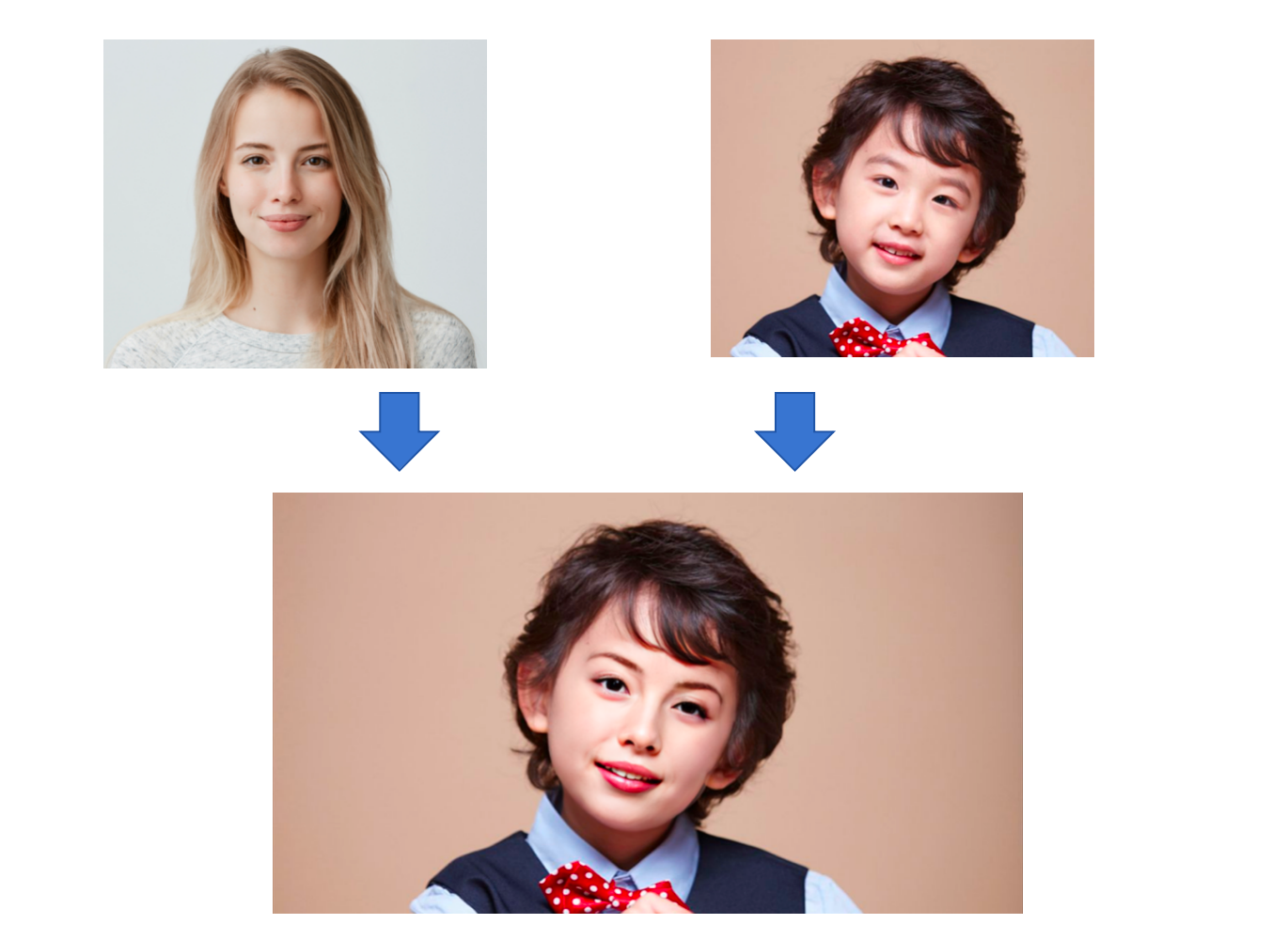
Upload a template image (one clear face to replace) and a source face (identity donor). Choose model v1 or v2, then generate. The result page shows both originals on top (compact) and the merged output larger below—no drag slider.
Your uploads
Template + source face. Scoped styles keep this panel self-contained so other tools stay unchanged.
Template image
Scene or portrait whose face will be replaced (one clear face).
Source face
Clear photo of the face to merge in (identity donor).
Model version
Preview
Static illustration of the fusion concept—your real output appears on the result page after you generate.
How it works
Powered by Alibaba Cloud: your template registers as a face template, then your source face is fused into that template. You get a downloadable merged image plus your original template for comparison.
Upload template + source
JPG or PNG, under 20 MB on the API side, roughly 128×128 to 2000×2000 px. Template should show one clear face; source should be a well-lit donor portrait.
Pick model version
v1 uses face-shape adaptation (default). v2 uses the non shape-adapted variant. Switch if one version suits your photos better.
View & download
The result page uses a vertical layout: template and source face thumbnails on top, merged image larger below. Download template, source, or merged file separately.
Why use it
High-fidelity fusion with expression and skin-tone alignment—ideal for authorized creative and portrait experiments.
Identity + pose
Keeps the template pose and scene while transferring donor identity traits from your source face.
Model choice
Toggle v1 and v2 to compare shape-adapted vs non-adapted fusion styles on the same pair of photos.
Clear outputs
Result view stacks template and source face above a large merged preview—no comparison slider, with downloads for each asset.
When it helps
Always obtain rights to both images and follow local laws and platform rules.
Creative portraits
Try your face in a stylized or stock-style template for concept art or personal projects.
Authorized marketing tests
Prototype looks with approved talent and template assets before a full production shoot.
Learning & demos
Understand how cloud face fusion behaves with different lighting and angles.
FAQ
Credits, two-image workflow, single-face templates, and output storage.
Tips for better fusion
Match lighting and angle when possible; keep faces unblocked and in focus.
Use a template with one dominant face; group shots may fail until you crop to a single face.
Donor and template faces should be sharp—avoid heavy filters that erase skin texture and edges.
If fusion looks off, switch between v1 and v2 or retake photos with more similar head angles.
Ready to fuse your face?
Upload template and source images, pick v1 or v2, then open the result page to compare and download.
Back to Merge Image Face