AI clothes try-on
Build the outfit,
see it worn.
Upload a full-body model photo and flat-lay garment images. Generate realistic try-on previews for tops, bottoms, full outfits, dresses, and jumpsuits with the faster OutfitAnyone model.
Model photo
RequiredTop garment
RequiredBottom garment
Required20 credits
charged after success
No charge
when processing fails
Processing
Usually 30–90 seconds
Private result
Workspace: 30 days; browser fallback until cleared
Sample transformation
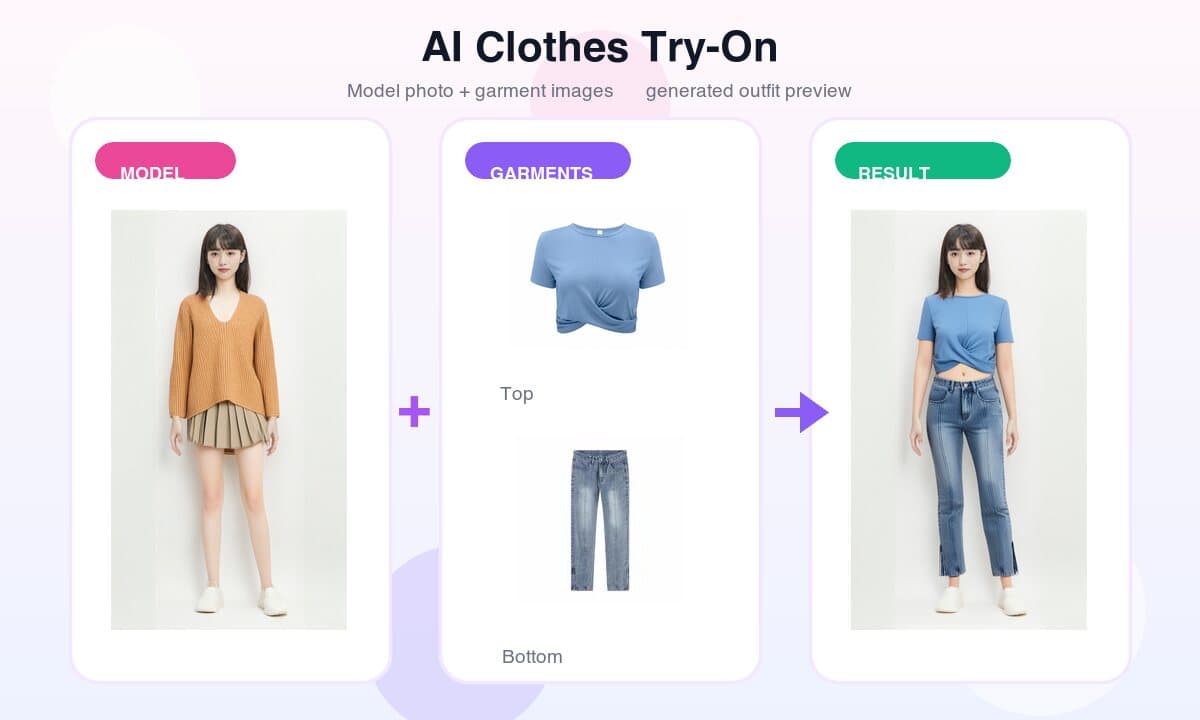
From inputs to result
Start with a full-body model photo plus flat-lay top and bottom garment images, then generate a realistic outfit preview.
How it works
From garment photo
to try-on image.
This workflow follows Alibaba Model Studio OutfitAnyone: temporary upload URLs, asynchronous generation with the aitryon model, and optional garment parsing for preservation.
- 01
Prepare a model photo
Use one front-facing full-body photo with a single person, clear lighting, visible hands and legs, and simple clothing.
- 02
Upload flat-lay garments
Add a top, bottom, full outfit pair, or dress image. The garment should be unfolded, complete, and shot on a clean background.
- 03
Generate try-on
The workflow uploads images to DashScope temporary storage, runs the OutfitAnyone aitryon model, and optionally parses preserved garments.
- 04
Review and download
Compare your source images with the generated result. Download quickly because provider result URLs are temporary.
FAQ
Common questions.
Photo prep, flat-lay garments, preserve options, model behavior, and temporary result URLs.
What photos work best for AI clothes try-on?
Use one clear, front-facing full-body photo with a single person. Good lighting, visible hands and legs, and simple fitted clothing usually produce the most realistic result.
What kind of garment image should I upload?
A flat-lay garment photo works best: one item, front-facing, unfolded, no heavy shadows, and a clean background. Keep the garment large in the frame.
Can I try a dress or jumpsuit?
Yes. Choose Dress or Jumpsuit mode and upload the dress image in the top garment slot. The tool sends it as the full-body garment input expected by the model.
What do the preserve original options do?
They use AI parsing to extract the model photo original upper or lower garment, then pass that crop into the try-on workflow so the other clothing area can stay closer to the original.
What happens if I upload only a top or only a bottom?
The aitryon model can generate the missing garment area automatically. If you enable a preserve-original option, the tool first extracts that garment area from the model photo and sends it with the request.
Are generated image URLs permanent?
No. Alibaba DashScope result URLs are temporary. Download the result soon if you want to keep it.
Ready when you are