Plan everyday makeup before buying products
Preview softer brows, blush, eye definition, and lip color before you shop. It helps you see the overall direction before choosing shades or products.
AI Generator | Virtual Makeup Try-On
Upload a clear portrait and preview natural, soft glam, bridal, K-beauty, smoky eye, red carpet, and bold makeup looks while keeping your face and photo context.
Choose makeup look
24 looks across everyday, glam, K-beauty, event, eye, and bold styles. Selected: Natural glow
Output preview
Makeup before and after
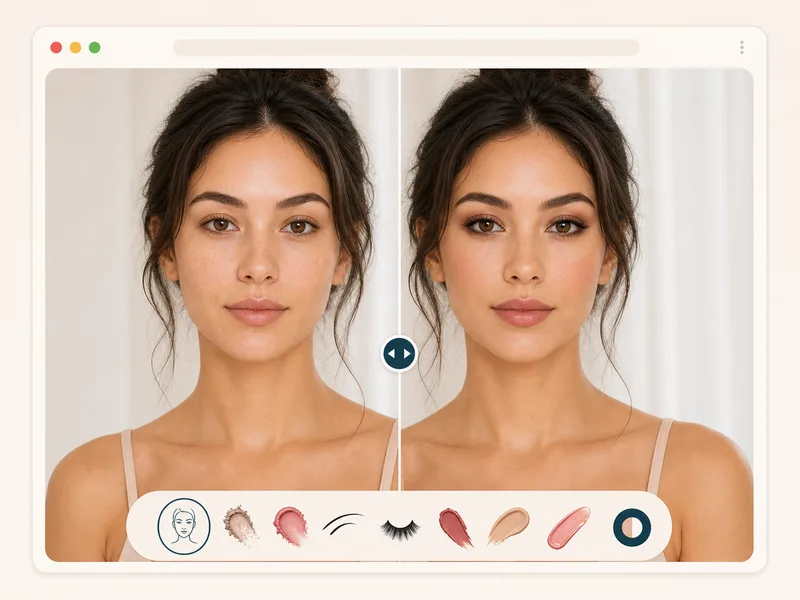
Output preview. Your actual result depends on the uploaded photo and selected settings.
20 credits
charged after success
No charge
when processing fails
Processing
Usually 15–45 seconds
Private result
Workspace: 30 days; browser fallback until cleared
How it works
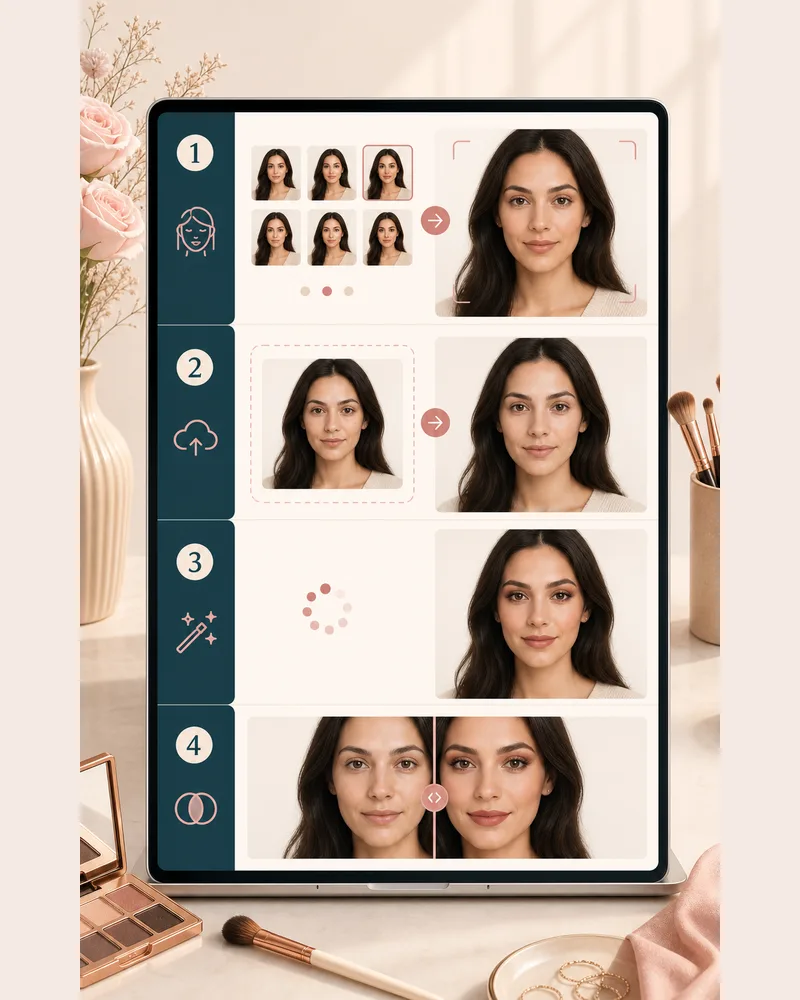
Choose a look, upload a portrait, generate your makeup preview, then compare the original and edited result.
Choose a full face direction such as natural glow, soft glam, bridal, smoky eye, K-beauty fresh, date night, latte, or red carpet makeup.
Use a front facing photo where your face is visible and evenly lit. The uploader accepts common image files up to 10 MB.
BeautyLove sends the photo and selected look to the AI generator. The prompt asks it to change makeup only and preserve your identity.
Open the result page, drag the before and after slider, then download the generated look or return to try another style.
Use cases
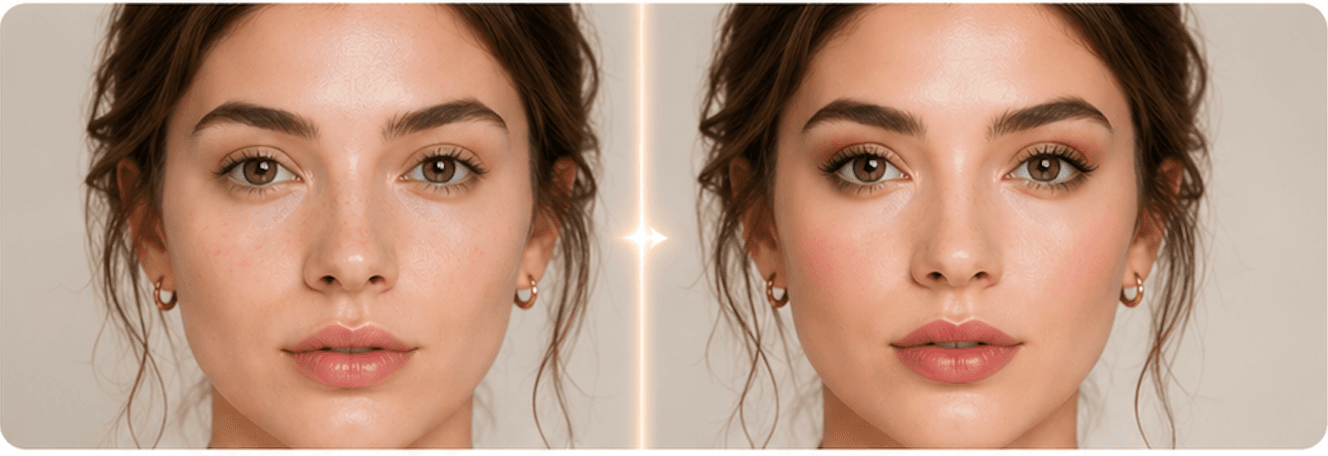
A makeup preview is most useful when it feels close to your real photo, not like a generic filter.
Preview softer brows, blush, eye definition, and lip color before you shop. It helps you see the overall direction before choosing shades or products.
Try bridal, smoky, or red carpet looks on the same portrait. This gives you a visual starting point for a party, photoshoot, or appointment.
Use the before and after slider to see whether a makeup direction fits a headshot, social profile, creator avatar, or dating profile photo.
The generator is prompted to keep hair, clothing, pose, background, and expression stable so the makeup change is easier to judge.
Why choose BeautyLove
BeautyLove keeps this tool focused on one job: preview a makeup direction on your portrait and make the result easy to compare.
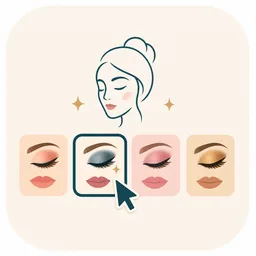
Pick a complete makeup direction instead of writing a prompt from scratch. The presets cover natural, glam, bridal, smoky, and red lip looks.
The backend prompt asks the AI to change makeup only, while keeping your face shape, expression, hair, clothing, pose, and background unchanged.
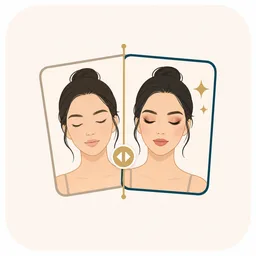
The result page uses a slider so you can compare the original portrait with the generated makeup look before downloading it.

Virtual Makeup Try-On is an AI Generator tool. A successful run uses 20 credits. Failed requests and service errors should not consume credits.
Key features
The page is built around a guided upload flow, preset makeup styles, and a result screen you can compare before downloading.
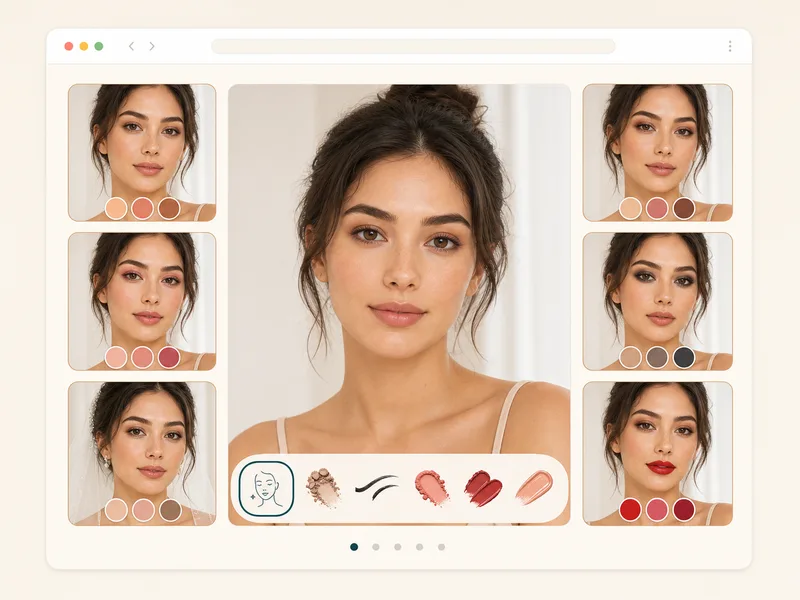
Start with a preset that matches the look you want to test. Natural glow keeps the result soft, soft glam adds polished definition, K-beauty fresh focuses on dewy skin and gradient lips, bridal stays timeless, smoky eye adds deeper eye definition, and red carpet brings classic red lips. The expanded selector also covers office, date night, Douyin, latte, interview, festival, and editorial directions so you can test faster without writing your own makeup prompt.
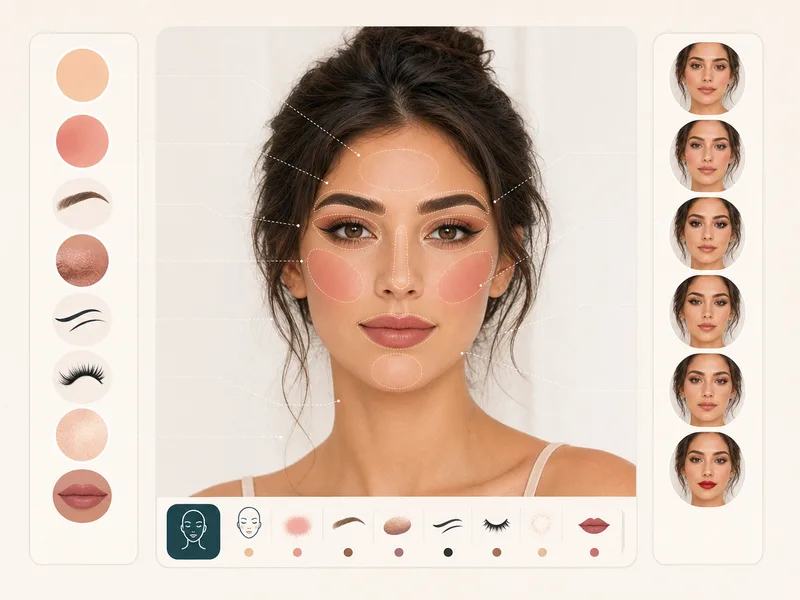
The generator can adjust complexion finish, blush, contour, brows, eye shadow, mascara, liner, lip color, and subtle highlight when the selected look calls for it. That makes the output more useful than a single lipstick or blush filter. Use it when you want to see how a full makeup direction works on your face.
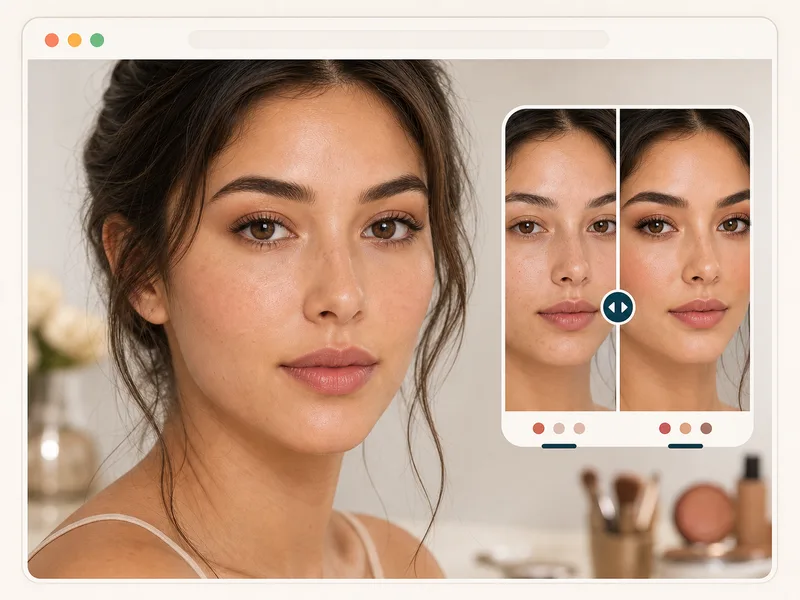
The makeup prompt asks for photorealistic blending and natural skin texture, not a poreless beauty filter. Results still depend on the source photo and AI output, but a clear, evenly lit portrait gives the model a better chance to keep skin, edges, and product placement believable.
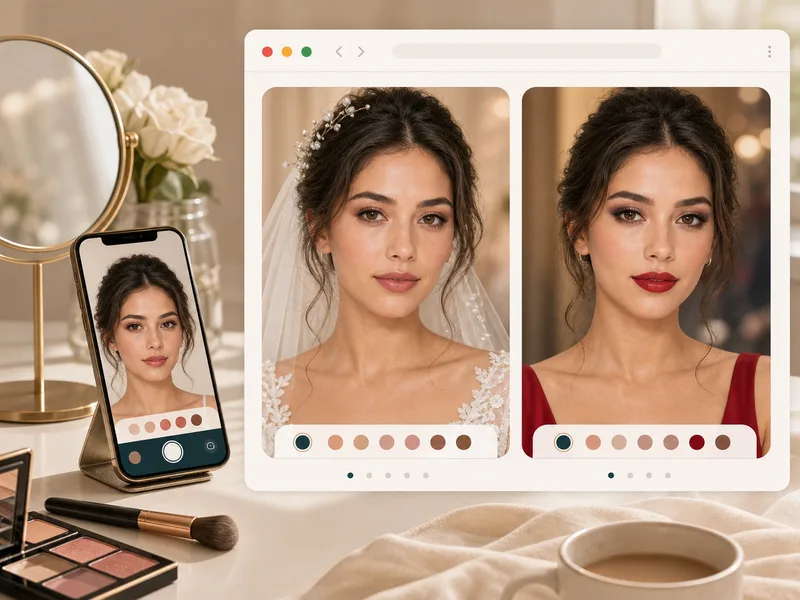
Use the tool for makeup ideas before a date, party, wedding, photoshoot, creator post, or profile refresh. It is most useful when you want a visual direction before buying products, visiting a makeup artist, or changing your routine. Try multiple looks on the same photo for a fair comparison.
After generation, the result page shows your original image and generated makeup look in the same frame. Drag the slider to check whether the brows, eyes, blush, complexion, and lips still feel like you. This makes small changes easier to judge before you download.
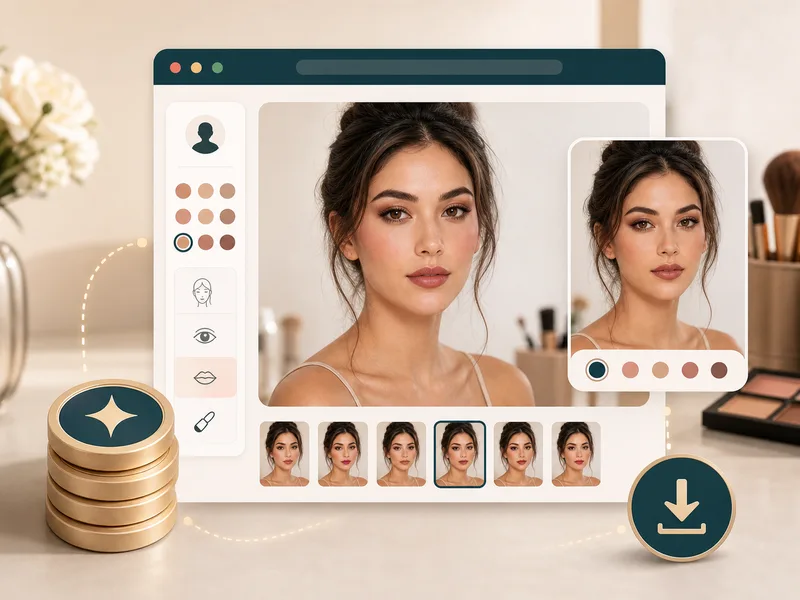
A successful Virtual Makeup Try-On generation uses 20 BeautyLove credits. The uploader checks the file before sending it, then stores the latest result in your browser so the result page can display it. If the service fails, the request should not consume credits.
Comparison table
Makeup tools vary from product shade try-ons to manual editors. Use this table to pick the option that fits the job.
| Option | Result | Control | Best for |
|---|---|---|---|
| Virtual Makeup Try-On by BeautyLove | Full face AI makeup preview with preset looks and a before and after result page | Select a complete makeup direction before generation | Testing a complete look on your own portrait |
| Retail shade try-on tools | Often focused on product shades such as lipstick, foundation, or blush | Usually tied to a product catalog or brand shade range | Shopping for a specific product or shade |
| Mobile makeup filter apps | Live or photo based filters with many style effects | Varies by app and may require installing an app | Frequent makeup play and social content |
| Manual photo editors | Layer based edits made by hand | High control, but slower and harder for beginners | Detailed retouching by an experienced editor |
| Prompt only image generators | Can create makeup concepts, but may drift from the source identity | Flexible prompts with less guided makeup workflow | Creative concepts when exact portrait preservation matters less |
Privacy and data security
You need to be signed in so the uploader can request your account token and check credits before generation.
Uploaded images are sent to the AI image generator. This makeup try-on is not processed only on your device.
The latest result and thumbnail can be kept in your browser storage so the result page can show the before and after view.
Upload photos you own or have permission to use. Do not use generated makeup results to mislead or impersonate someone.
FAQ
Makeup styles, photo quality, credits, mobile use, privacy, and how this differs from written makeup analysis.
Virtual makeup try-on is an online way to preview makeup on your own photo. BeautyLove lets you upload a portrait, choose a makeup style, and compare the generated result with the original.
Virtual Makeup Try-On is prompted to keep your face shape, features, expression, hair, clothing, pose, and background the same. Low quality photos can still produce less stable results.
You can try 24 makeup directions, including natural glow, clean girl, soft glam, K-beauty fresh, Douyin soft, bridal, date night, smoky eye, winged liner, red carpet, festival, and editorial looks.
Yes, a bare face or lightly made up photo usually works well. Use even lighting and keep your face visible so the generated makeup can blend more naturally.
New users can use welcome credits to try Virtual Makeup Try-On. A successful generation uses 20 credits, while failed requests and service errors should not consume credits.
The uploader accepts common image files and checks for a 10 MB client side limit. JPG, JPEG, PNG, and WEBP files are the safest choices.
Yes, you can use Virtual Makeup Try-On in a mobile browser. Upload a clear portrait, choose a style, generate the look, and review the result page.
The latest result and thumbnail can be kept in your browser storage so the result page can display it. Uploaded images are also sent for AI processing.
A request can fail when the image is blurry, too dark, too large, unsupported, or missing a clear face. Try a sharper front facing portrait with better light.
No, AI Makeup Analysis gives written makeup recommendations. Virtual Makeup Try-On generates an edited before and after image from your selected makeup look.
Ready when you are
Use a clear photo, pick a style, and compare the generated makeup result before you download it.
Loved by 5M+ BeautyLove users for hair, makeup, color, and portrait decisions.