Remove background clutter, extra people, text, signs, date stamps, mirror smudges, overlays, and small distractions from portrait photos while keeping the main person and natural texture intact.
Choose what to remove
12 cleanup targets across background, portrait, and image marks. Selected: Background clutter
20 credits charged after success
No charge when processing fails
Processing Usually 15–45 seconds
Private result Workspace: 30 days; browser fallback until cleared
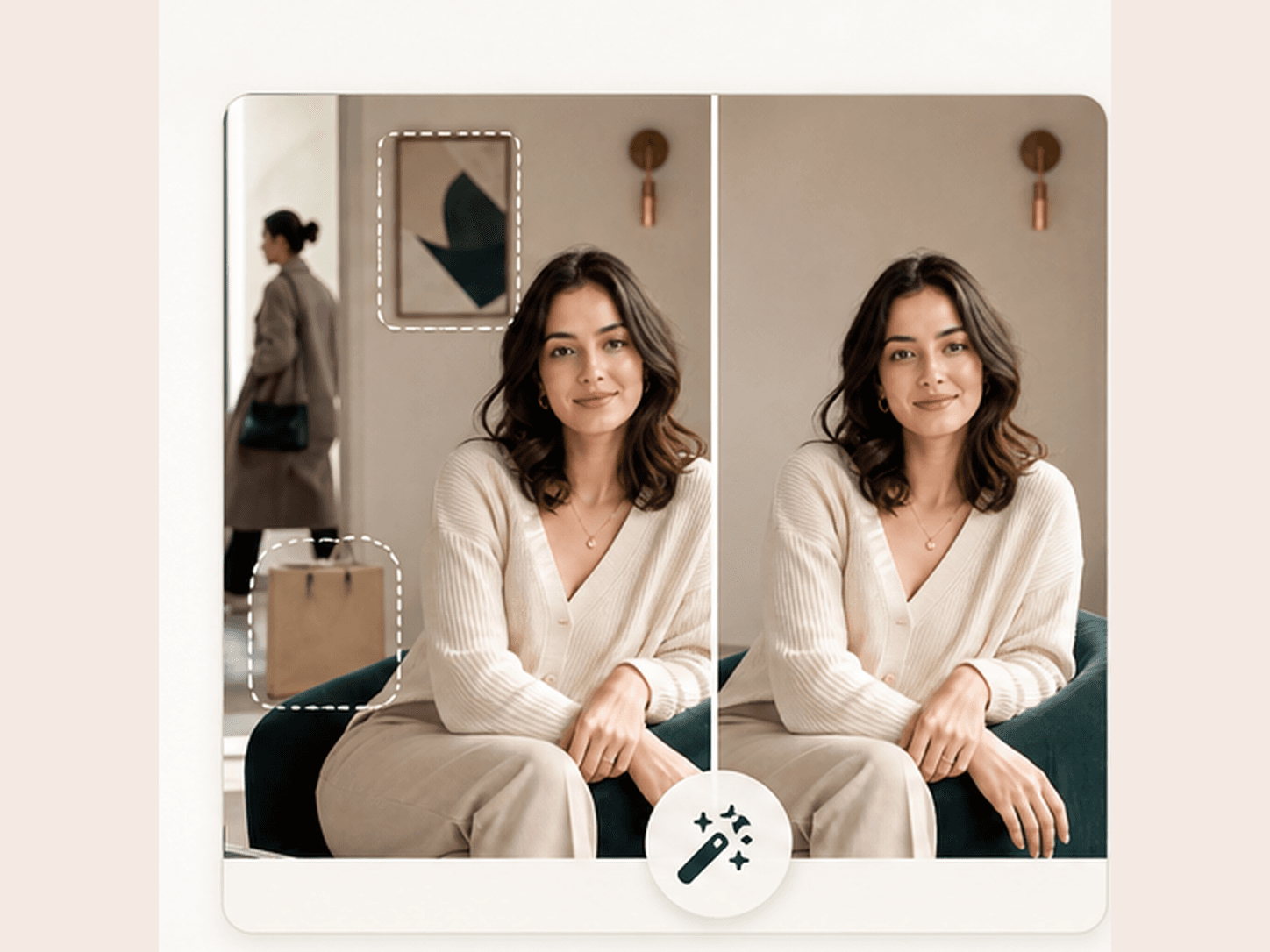
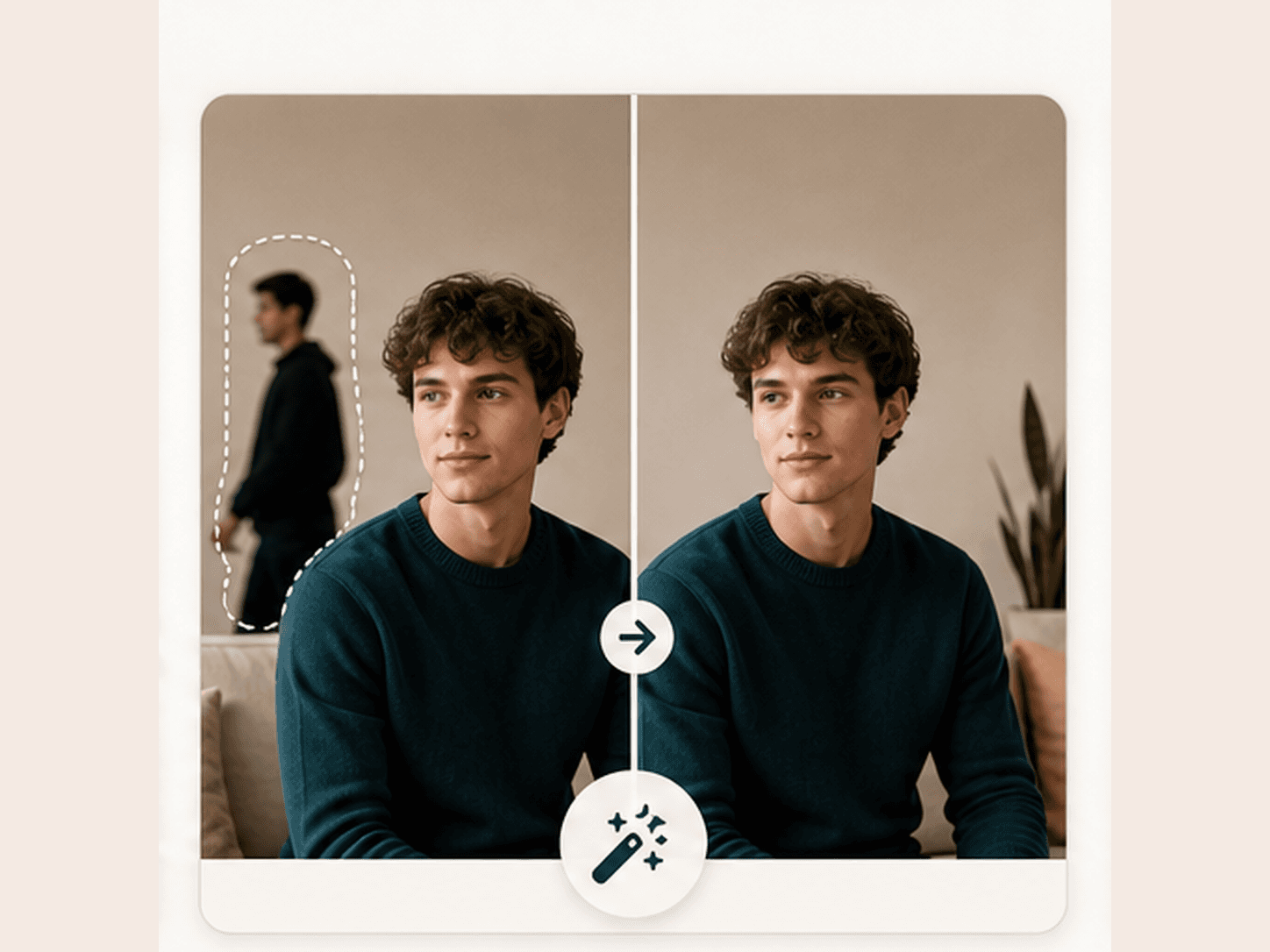
Before
After
Loved by 5M+ BeautyLove users for hair, makeup, color, and portrait decisions.
5M+
Users worldwide
4.9 / 5
Average rating
2,689
User reviews
How it works
How to remove objects from a photo.
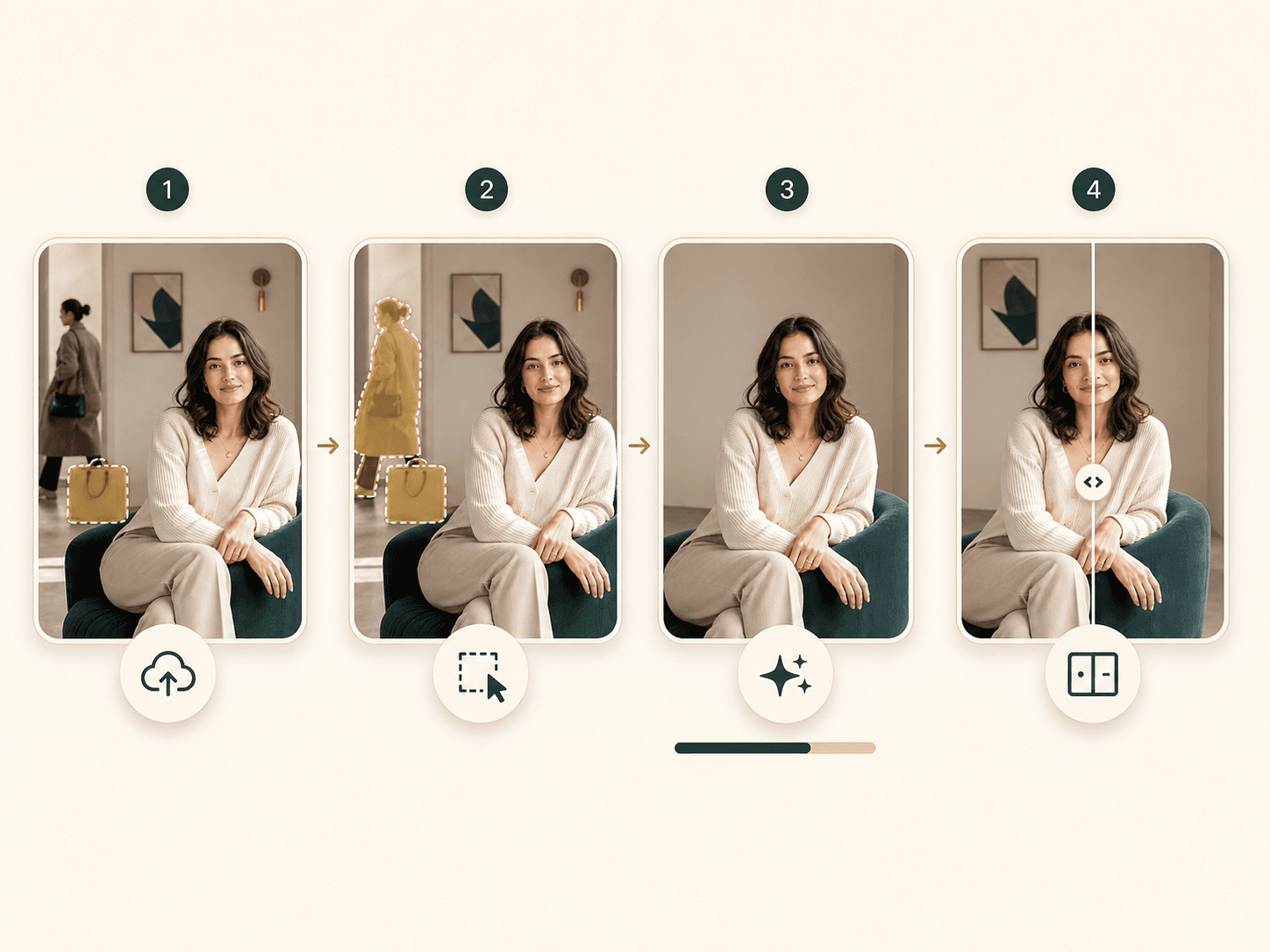
The flow is built for portrait cleanup. Choose the distraction type first, then review the edited image before you save it.
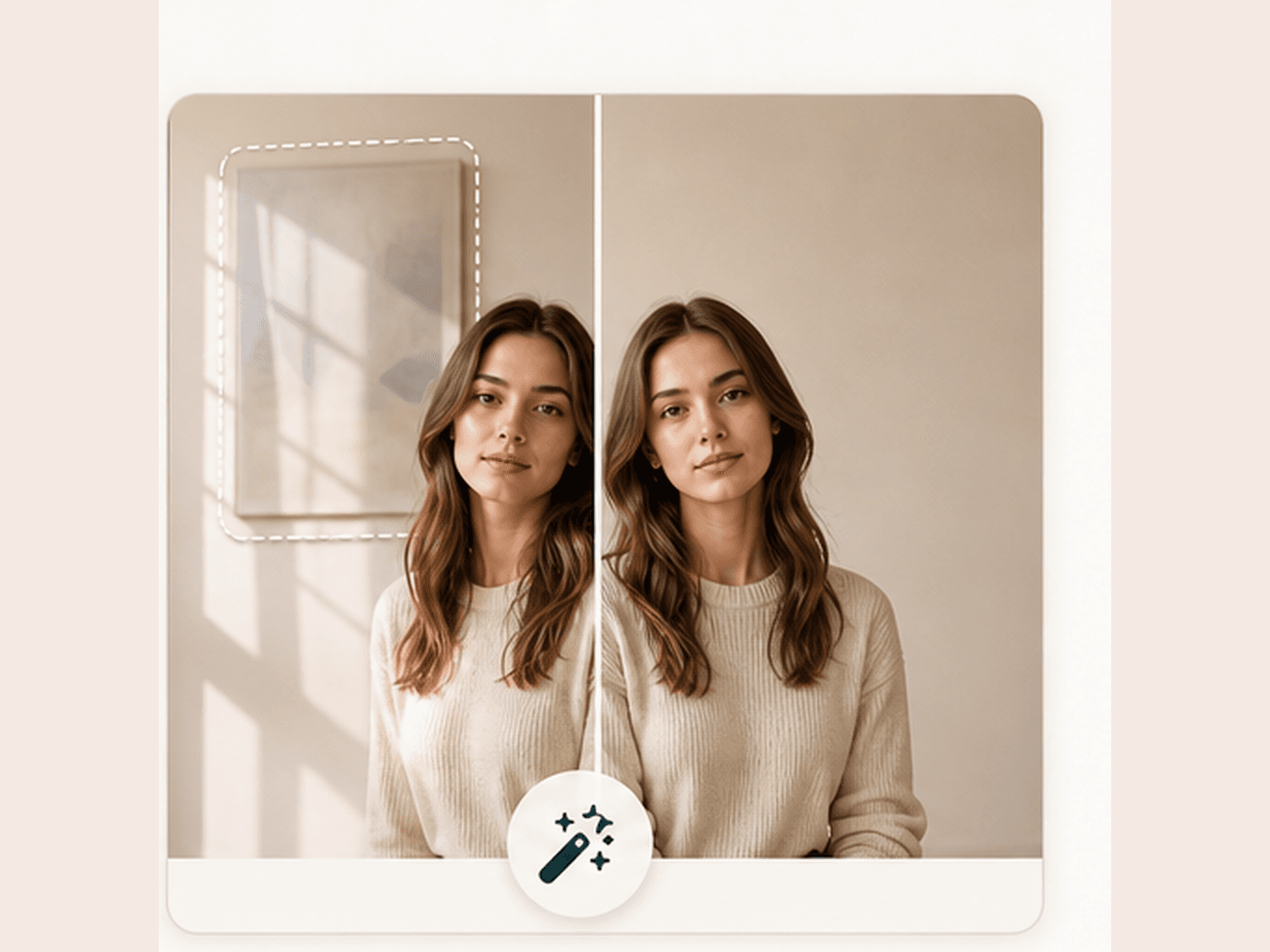
01
Upload a portrait photo
Choose a clear JPG, PNG, or WEBP image where the object, person, sign, or clutter is visible enough for the cleanup pass.
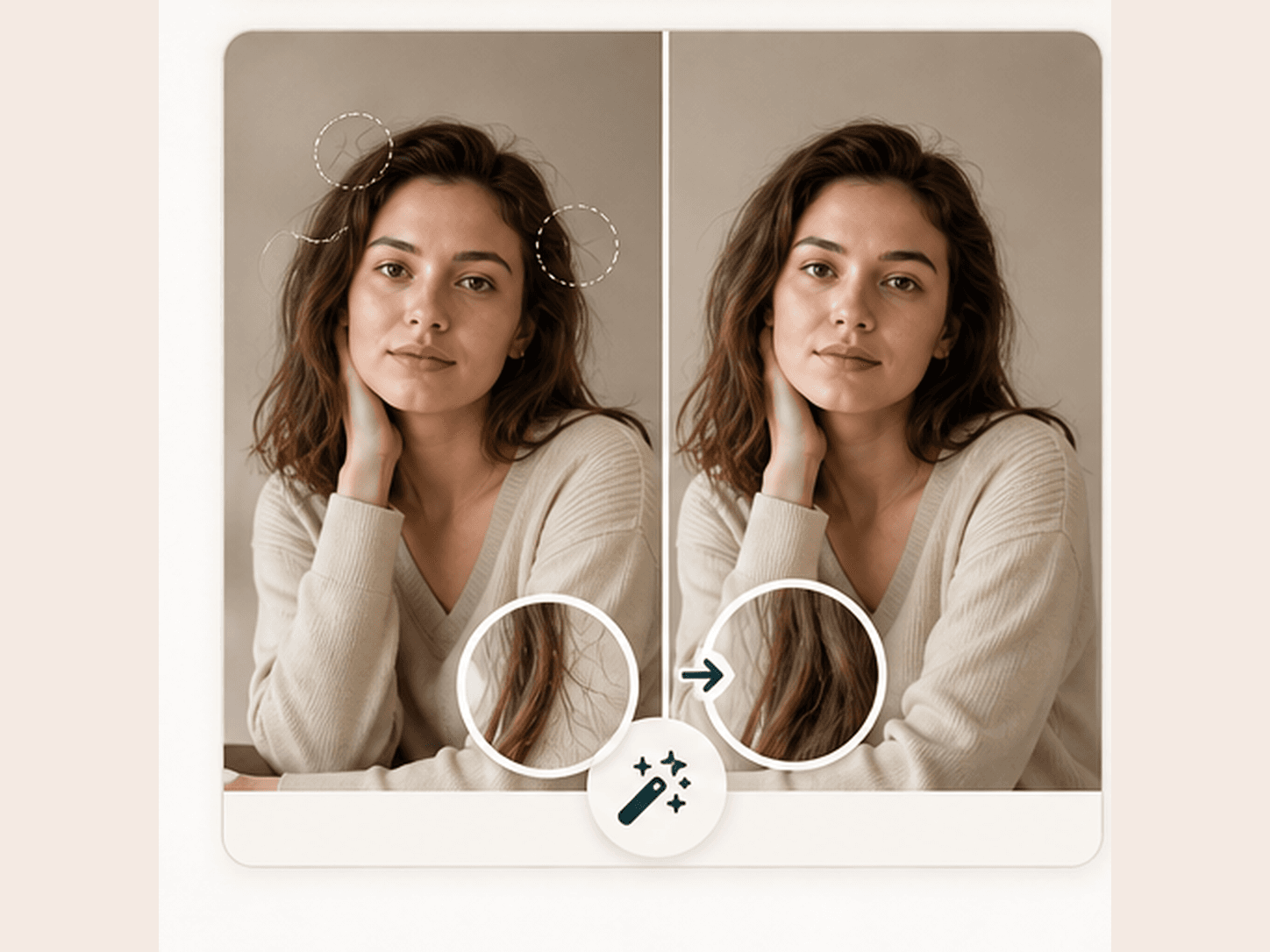
02
Pick the removal target
Select the closest target type so the AI object remover knows whether to focus on background clutter, extra people, text, date stamps, mirror smudges, overlays, fabric, or small face distractions.
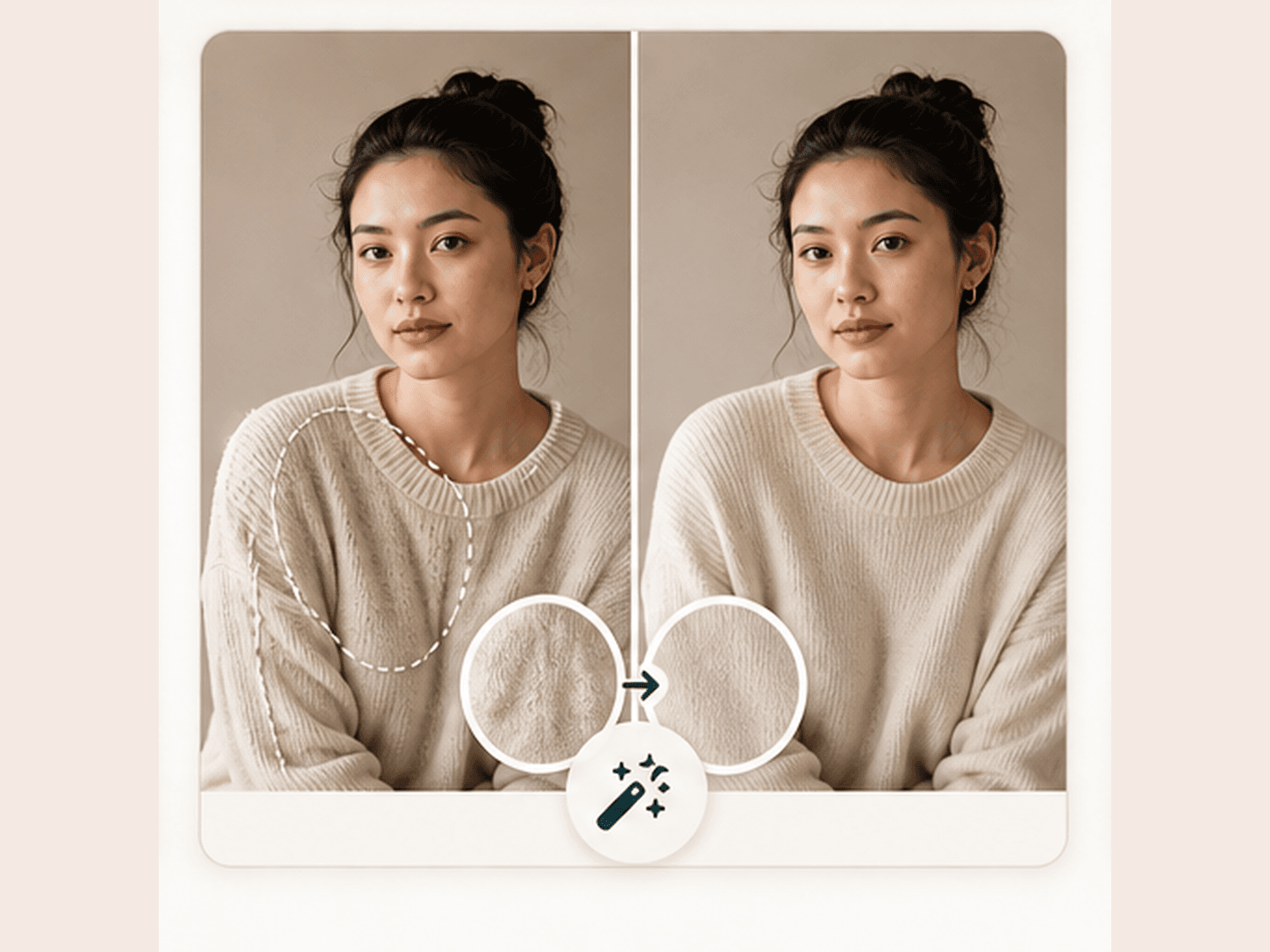
03
Generate the cleanup
BeautyLove sends the photo for AI image editing, removes the selected distraction, and reconstructs the surrounding wall, fabric, or background texture.
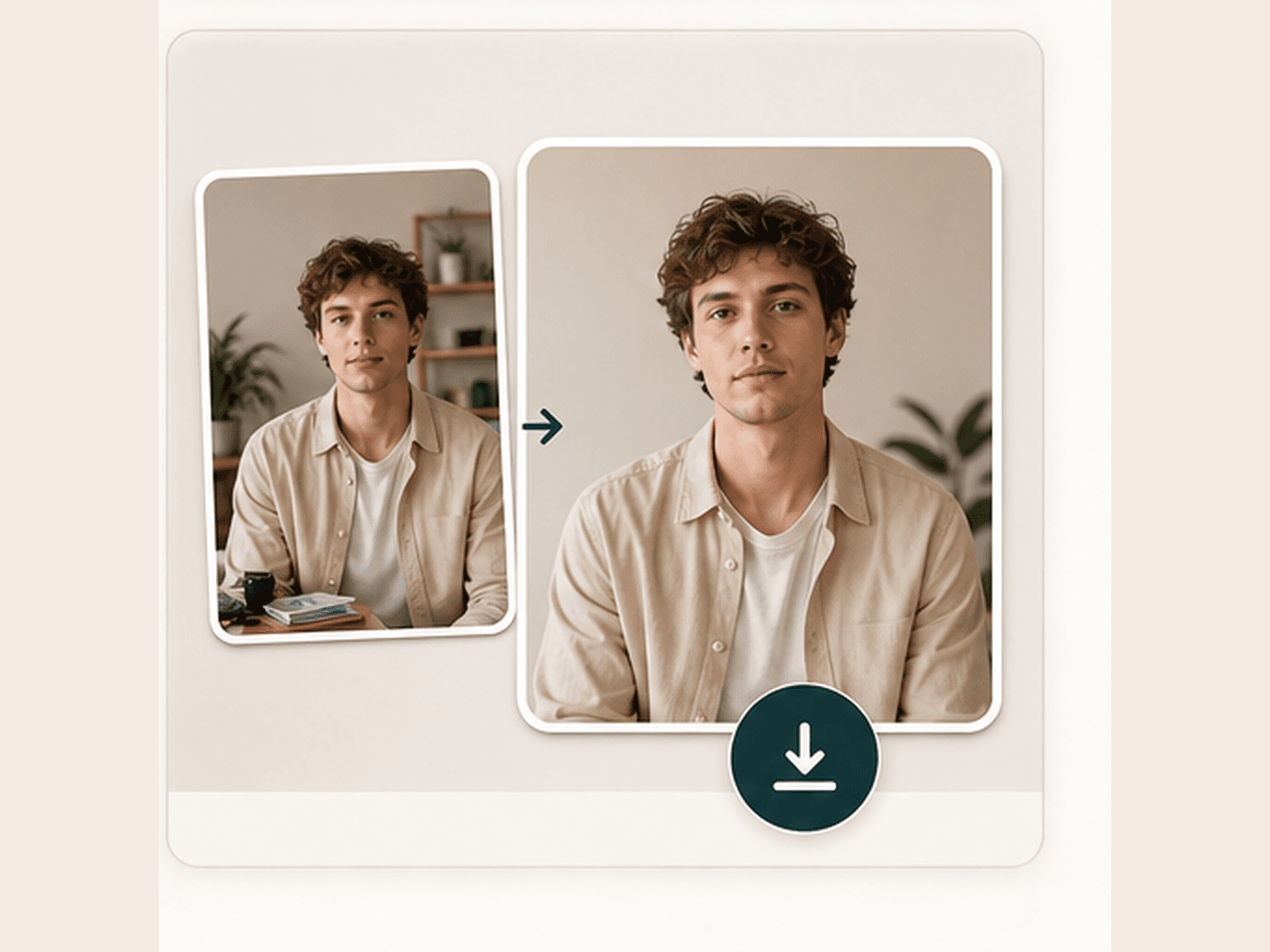
04
Review before saving
Compare the original and cleaned result. If the object touched hair, hands, or facial details, try a cleaner crop or a simpler removal target.
Many object removers focus on broad edits. BeautyLove keeps this page tuned to portrait cleanup, where preserving the person matters most.
Targeted portrait cleanup
The workflow keeps the task narrow. Pick a target, upload one photo, and let the edit focus on distractions around the main person.
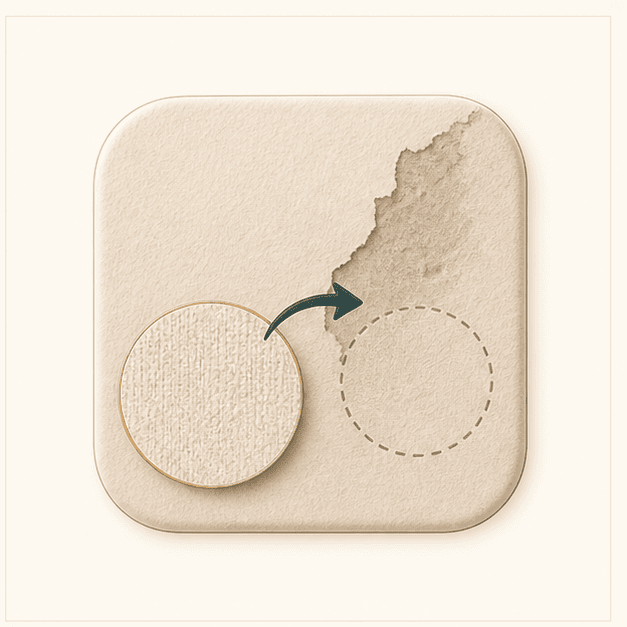
Natural texture repair
The prompt asks the AI to rebuild nearby wall, fabric, or background texture instead of adding new objects or stylized effects.
Person first editing
BeautyLove asks the model to preserve face, body shape, skin, makeup, expression, hair, clothing, jewelry, lighting, and photo texture.
Clear credit rules
AI Object Remover is a generator tool. A successful run uses 20 credits, while failed requests and service errors should not consume credits.
Key features
Clean the distractions people notice first.
Each mode maps to a common object removal job, from background people to small distractions near a portrait.
Remove background clutter
Use AI Object Remover when a strong portrait is weakened by bags, small props, busy walls, or random items in the scene. The tool is most useful when the object sits away from detailed facial areas and the surrounding texture gives the AI enough context to rebuild the background.
Clean up extra people
Remove people in the background when a passerby or extra figure distracts from the main subject. This is designed for background figures, not for editing the main person out of a scene. Cleaner separation, softer backgrounds, and visible edges usually give the result a better chance.
Remove text, logos, and signs
Visible signs, labels, posters, and logos can make a beauty or profile photo feel less polished. Choose the text and signs option when you want the surrounding wall, paper, or object surface to look plain again without changing the main portrait.
Protect the face and hair
Small distractions near hair, shoulders, and the face need a careful prompt. BeautyLove asks the AI to remove only the selected distraction and keep essential facial features, expression, makeup, hair shape, and jewelry unchanged whenever possible.
Repair fabric and nearby texture
For clothing clutter or small fabric distractions, the result depends on whether the nearby texture is simple enough to rebuild. Use this for minor distractions, not major outfit changes. If a crease or object crosses a hand or face, a cleaner source image can help.
Compare before and after
The result page lets you compare the original upload with the cleaned photo before downloading. This matters because object removal can look good at first glance but still need review around edges, shadows, hair, hands, and repeated textures.
Comparison table
Choose the right cleanup workflow.
Object removers vary by selection style, control, and output review. Pick based on how precise or complex your edit is.
Option
Workflow
Result
Best for
BeautyLove AI Object Remover
Target preset plus one portrait upload
Cleaned image with before and after review
Portrait cleanup, beauty content, creator images, and profile photos
Brush based object removers
Manual mask or brush selection
Good control when the mask is accurate
Users who want precise area selection
Prompt based image editors
Describe what to remove in text
Flexible, but results vary with prompt clarity
Creative edits beyond simple cleanup
Full photo editors
Manual retouching and clone tools
High control with more editing skill required
Complex professional repair work
Quick web tools with free trials
Upload, remove, download
Fast trials, limits vary by provider
Casual one off edits
Privacy and data security
Clean photos with care.
Processing
BeautyLove uses uploaded images to process the object removal request through the selected AI service. The edit is not processed only on your device.
Browser results
Result data and thumbnails may be kept in your browser storage so the result page can display your latest cleaned image.
Permission first
Upload photos you own or have permission to edit. Avoid using image cleanup to mislead, harass, impersonate, or hide important context.
Credit handling
A successful AI Object Remover run uses 20 credits. Failed requests and service errors should not consume credits.
FAQ
Common questions.
What to remove, what can fail, credits, privacy, and how to get a cleaner result.
What is an AI object remover?
An AI object remover is an image editing tool that removes unwanted objects from a photo and fills the empty area with surrounding texture.
How do I remove an unwanted object from a photo online?
Upload a clear photo, choose the closest removal target, run the cleanup, then compare the original and edited image before downloading.
What can BeautyLove AI Object Remover remove?
It is best for background clutter, extra people in the background, visible text, logos, signs, date stamps, mirror smudges, sticker overlays, and small distractions in portrait photos.
Can it remove people from the background?
Yes, it can remove background people when they are separate from the main subject. It is not meant to remove the main person from a photo.
Can it remove text, signs, or logos from an image?
Yes, choose the text and signs target when the visible writing or mark is on a surface that can be rebuilt naturally.
What photos work best for object removal?
Clear portraits work best when the unwanted object is visible, separated from the face and hands, and surrounded by simple background or fabric texture.
Why did my edited photo look blurry or patched?
Object removal can look patched when the object crosses hair, hands, facial details, shadows, reflections, or complex repeated patterns.
Will AI Object Remover change my face?
The prompt asks the AI to preserve the face, expression, hair, skin, makeup, clothing, lighting, and photo texture while removing the selected distraction.
Is AI Object Remover free?
New users can use welcome credits to try AI Object Remover. A successful generation uses 20 BeautyLove credits, while failed requests and service errors should not consume credits.
Do you store my edited image?
BeautyLove uses uploaded images to process the request. Result data and thumbnails may be kept in your browser storage so the result page can display your latest output.
Ready when you are
Remove the distraction, keep the portrait.
Start with a clear photo and a simple target. Review edges and texture before downloading the cleaned image.




Loved by 5M+ BeautyLove users for hair, makeup, color, and portrait decisions.