AI Jewelry Styling
Jewelry & Earring
Recommender.
Upload one portrait and get jewelry styling guidance for metal tone, earring shape, earring scale, necklace length, and styling balance.
Overview
What is Jewelry & Earring Recommender?
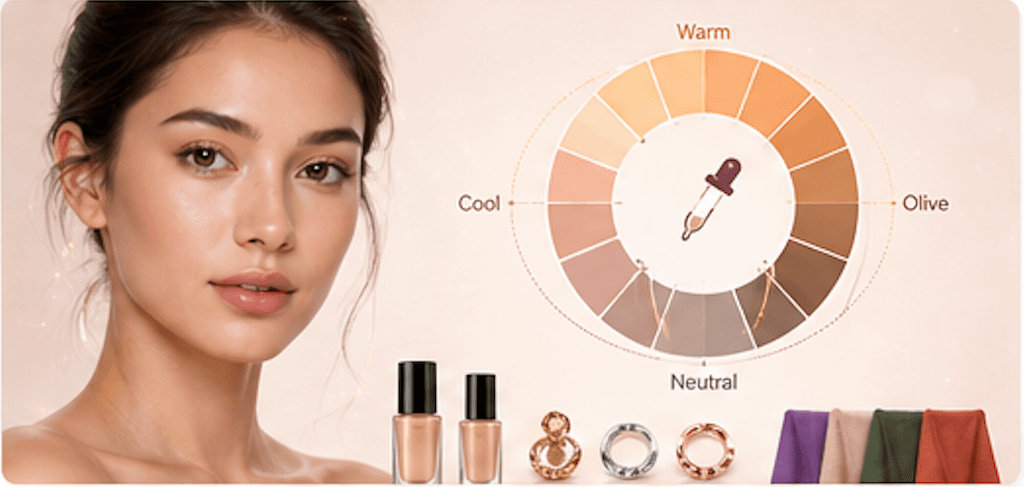
Jewelry & Earring Recommender connects face shape and visible coloring to metal tone, earring shape, scale, and necklace length. It is a style-direction tool for users choosing everyday jewelry, event accessories, profile-photo styling, or shopping filters.
Cost
10 credits
Charged only after a successful run.
Output
AI report
A structured result with practical notes.
Best photo
Clear portrait
Natural light usually gives the most useful result.
Use cases
When this tool
is worth running.
These examples help searchers and first-time users decide whether Jewelry & Earring Recommender is the right tool for the photo they have.
Find whether warm gold, cool silver, rose gold, pearls, or mixed metals may suit your visible coloring.
Choose earring shape and scale based on face length, jawline, cheek width, and neck framing.
Plan jewelry for headshots, weddings, interviews, or daily outfits before buying.
Workflow
From one upload to
a useful next move.
Each tool is built for a practical beauty decision: what to try, where to place it, or which direction to choose next.
- 01
Upload a portrait
Visible face shape, neckline, and skin tone help the recommendation feel personal.
- 02
Read jewelry direction
Get earring silhouettes, metal tone, scale, and necklace length guidance.
- 03
Pair with color tools
Use Color Analysis or Skin Tone Detector next if you want a deeper palette read.
Photo tips
Better input,
better output.
- Use a front portrait with face shape, neck, jaw, and skin tone visible.
- Remove large existing earrings if they hide the ear or jawline.
- Use the result as a shopping filter, not a luxury brand or exact product recommendation.
- Pair it with AI Color Analysis and Glasses Shape Recommender for a complete accessory direction.
Next tools
Build a fuller
beauty workflow.
Most users get better results by pairing one focused tool with the next logical analysis, try-on, or portrait polish step.

Face Shape Detector
Detect your face shape with AI.
Open tool
Skin Tone Detector
AI skin tone and undertone analysis for foundation, clothing colors, jewelry metals, and lipstick shade ideas.
Open tool
AI Color Analysis
Find your seasonal palette, undertone, and best colors with AI color analysis.
Open tool
Glasses Shape Recommender
Recommend eyeglass frame shapes, size, color, and material direction from face shape and coloring cues.
Open toolPrivacy & expectations
Useful guidance,
not overclaiming.
Photo first
Lighting, camera angle, makeup, hair, and filters can change the result. A clear original photo gives the most useful read.
Beauty use
Jewelry & Earring Recommender is for styling, profile-photo, and creative beauty decisions. It is not medical, biometric, or identity advice.
Next step
Use the output as a practical direction, then compare it with related tools or a real mirror check before committing.
FAQ
Good to know.
Is this a try-on tool?
No. It recommends jewelry direction. A visual jewelry try-on could be a later tool.
Does it require skin tone certainty?
No. It uses cautious visible-tone language and avoids exact ethnicity or identity claims.
How many credits does it use?
A successful Jewelry & Earring Recommender run uses 10 credits.
Try the tool
Start with one photo,
then refine the whole look.
Upload a clear portrait, review the result, and follow the next-step tools when you want a more complete beauty workflow.
Loved by 5M+ BeautyLove users for hair, makeup, color, and portrait decisions.